Enhance Your Designs with Decorative Frame or Border Set Vector: Avoid Common Pitfalls
Decorative Frame or Border Set Vectors are versatile design assets that can elevate everything from digital graphics to printed stationery. Whether you're a seasoned designer or a hobbyist creating personalized invitations, understanding how to choose and use these vector sets properly can make a big difference in the final outcome of your project.
What Is a Decorative Frame or Border Set Vector?
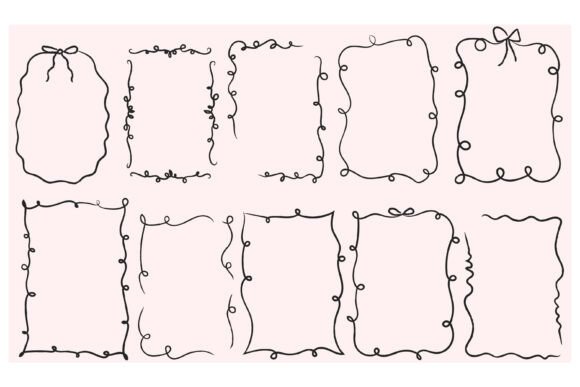
A Decorative Frame or Border Set Vector is a collection of scalable graphic elements designed to frame or enhance visual content. These sets typically include borders, frames, corners, dividers, and other ornamental elements that can be resized without losing quality. They're commonly available in formats like AI, EPS, PNG, and JPEG, making them compatible with various design software and printing needs.
Common Mistakes When Choosing or Using Decorative Frame or Border Sets
Many users, especially beginners, overlook key details when selecting or applying these design elements. Here are some common missteps and how to avoid them.
Mistake 1: Ignoring File Compatibility
Not all design software supports every file format. While AI and EPS files are ideal for vector editing in programs like Adobe Illustrator, PNG and JPEG are raster formats better suited for quick placement in tools like Canva or Photoshop. Choosing the wrong format can lead to pixelation or editing limitations.
Better approach: Check your software's supported formats before downloading. If you're unsure, opt for sets that include multiple file types for flexibility.
Mistake 2: Overlooking Scalability Needs
One of the main advantages of vector graphics is their scalability. However, some users download PNG versions of borders—especially low-resolution ones—and attempt to stretch them for large prints, resulting in blurry edges and poor quality.
Better approach: Use vector formats (AI or EPS) when working on designs that require resizing, such as posters or banners. Save PNG or JPEG for web use or when editing is minimal.
Mistake 3: Mismatched Style or Theme
It's easy to fall in love with a decorative border set, only to realize later that it clashes with the overall tone of your project. For example, using a vintage floral border on a modern tech-themed invitation can create visual confusion.
Better approach: Match the border's style—whether minimalist, ornate, rustic, or geometric—to the overall aesthetic of your design. Preview the elements in context before committing.
Mistake 4: Not Checking Licensing
Many free or low-cost vector sets come with restrictive licenses. Some may prohibit commercial use or require attribution. Failing to verify these details can lead to legal issues, especially for entrepreneurs or small business owners using the graphics in marketing materials.
Better approach: Always read the license agreement. For commercial projects, choose sets with clear commercial-use permissions and keep a record of your purchase or download.
Mistake 5: Using Too Many Elements at Once
While it's tempting to layer multiple decorative elements for a rich look, overcrowding your design with frames, borders, and embellishments can make it look cluttered and unprofessional.
Better approach: Use one or two primary decorative elements as focal points. Let the rest of the design breathe by maintaining balance and visual hierarchy.
What to Check Before Downloading or Buying a Decorative Frame or Border Set
To ensure you're getting the most value and usability from your design elements, consider the following points before making a purchase or download:
- File Formats Included: Does the set include AI, EPS, PNG, and JPEG versions for different use cases?
- Number of Elements: How many unique frames or borders are included? More variety gives you greater creative freedom.
- License Type: Is it free for personal or commercial use? Are there attribution requirements?
- Compatibility: Will the set work with your preferred design software?
- Style Consistency: Do the elements work together cohesively, or will they need extensive editing to match?
Realistic Examples of Effective Use
Here are a few practical applications that show how Decorative Frame or Border Set Vectors can be used effectively across different mediums:
- Wedding Invitations: A delicate lace-style border in a soft color can add elegance without overwhelming the text.
- Printed Stationery: A minimalist geometric frame can give a professional touch to business cards or letterheads.
- Web Design: Subtle border dividers can enhance the layout of a blog or portfolio site without distracting from content.
- Handmade Crafts: SVG files can be used with cutting machines to create intricate paper frames for scrapbooking or greeting cards.
Final Tips for Getting the Most from Your Decorative Frame or Border Set
Here are a few final pointers to help you make informed decisions and avoid frustration:
- Test Before You Commit: Many marketplaces offer preview files or sample pages. Use them to see how the elements look in a real design.
- Optimize for Performance: On the web, large PNG files can slow down your site. Compress images when possible or use CSS borders for simple shapes.
- Customize Thoughtfully: Don’t be afraid to tweak colors or combine elements, but avoid over-editing that could distort the original design quality.
- Organize Your Files: Keep your downloaded sets well-organized in labeled folders by style or project type for easy access later.
Conclusion
Decorative Frame or Border Set Vectors are powerful tools that, when used correctly, can greatly enhance your visual projects. By avoiding common mistakes and paying attention to compatibility, licensing, and design harmony, you'll ensure your work looks polished and professional—whether you're crafting a handmade card or designing a marketing brochure. Take the time to choose wisely, and your creative efforts will shine.